


HBO Max: Stream TV & Movies
4.859.15K Reviews
App Specs
- Version
- Varies with Device
- Updated On
- License
- Free
- Downloads
- 100,000,000+
- Developer
- WarnerMedia Global Digital Services, LLC
- Categories
- Entertainment
- Platform
- Android, iOS
Screenshots
 Analysis by AppCompare
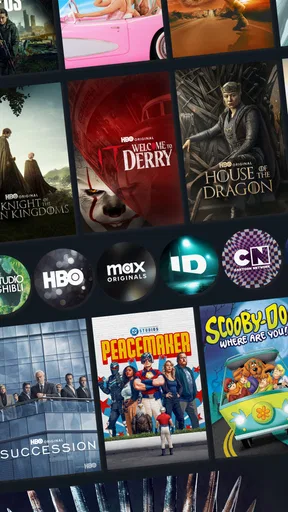
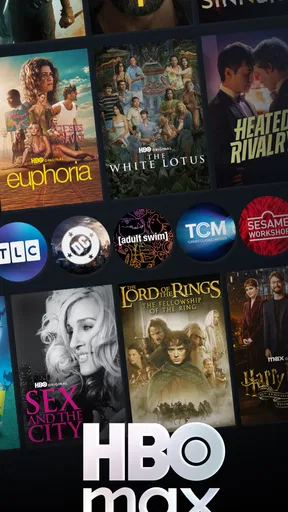
So, I recently decided to give HBO Max: Stream TV & Movies a whirl, and let me tell you, it’s like having a cinema in your pocket. Whether you’re into binge-watching the latest series or catching up on those classic films you’ve missed, this app has got everything covered.
If you’re opening a streaming app for the first time, the most useful way to approach HBO Max is to think of it as a place to browse as well as a place to watch. A big catalog can feel overwhelming when you do not already know what you want, so I would begin with one simple goal: find a film or episode that suits the time you have, then save the bigger browsing session for later. That turns the first visit into a small, satisfying win rather than an evening spent scrolling.
HBO Max is an entertainment app from WarnerMedia Global Digital Services, LLC. It is free to install, is rated Teen, and supports Android 5.0 and later. The app has a 4.8 average from around 4.9 million ratings and has been installed over 100 million times. Those figures suggest that it is a familiar choice for many viewers, but they do not tell you whether its catalog matches your own taste; that is the more important question to answer during your first few visits.
The Ultimate Streaming Companion
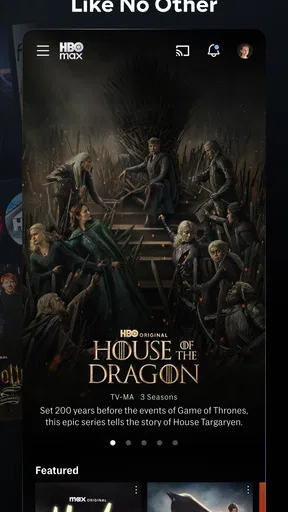
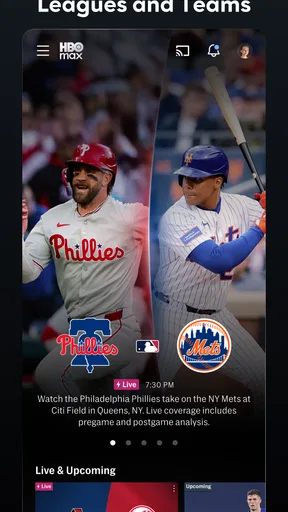
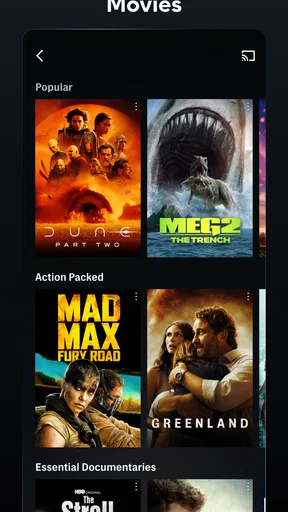
First off, the app’s interface is super user-friendly. Navigating through HBO Max is a breeze. With neatly categorized sections like ‘Just Added’ and ‘Most Popular,’ it’s easy to find what you’re in the mood for. Plus, the search function is spot on, so no more endless scrolling. Just type in what you want, and boom—it’s right there.
For a first-time setup, I would keep the process focused: install the app, open it, and follow the sign-in or account prompts shown on your screen. Before settling in, check that you are using the account you intend to watch with and that the app is ready to play a title. Subscription and account arrangements can affect what you can watch, so it is worth reading the current on-screen terms instead of assuming that installing the app alone unlocks the catalog. In-app purchases are listed from $2.49 to $229.99 per item, so review any purchase prompt carefully before confirming it.
My first meaningful action would be to search for a specific title I already had in mind, open its page, and start playing it. That gives you a quick check of the whole path from browsing to viewing, and it makes the search box more useful than simply typing random genres into it. If nothing comes to mind, scan a category or a collection and choose something that fits the time available; a short episode is a more manageable first test than committing to a long film when you only have a few minutes.
A Treasure Trove of Content
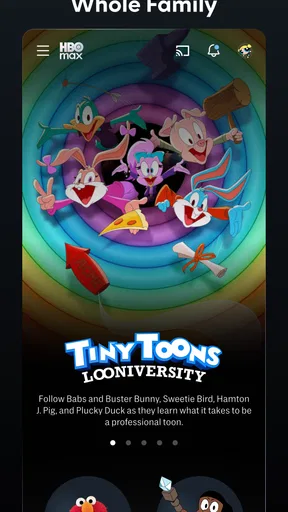
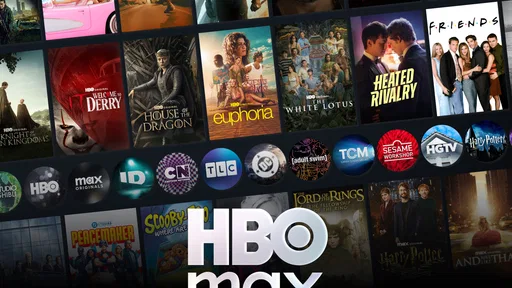
Now, the content library—oh boy! From blockbuster movies to exclusive TV shows, the selection is vast and varied. I was particularly impressed with the range of genres available. Whether you’re into drama, comedy, or documentaries, there’s something for everyone. And let's not forget the kid-friendly section, which is a lifesaver if you’ve got little ones.
Worth Reading Before You Choose

Flipboard Shows What News Apps Must Do Beyond the Feed

Switching to Android Auto Means Rethinking Your Driving Routine

Google Calendar Makes a Crowded Week Easier to Manage

Ludo King Makes the Most of the Minutes Between Plans

Baby Panda World Brings Quick Play to Modern Phones, but Its Game Library Feels Busy

ESPN’s Live Game View Makes Following Close Games Easier
The app is a particularly natural fit if your household already has a few shows or film genres it returns to, or if you enjoy choosing from a mix of scripted series, films, and reality programming. It is less compelling if you mainly want one narrow kind of content and rarely explore outside it. In that case, compare the titles you actually watch with what you get from your usual streaming service before making this the app you reach for by default. A large library is only valuable when it gives you things you genuinely want to press play on.
One realistic use is a weeknight when everyone has a different idea of what to watch. I would use the search function for a title one person suggested, then browse a collection if that choice does not suit the room. For a solo evening, the same approach works in reverse: start with a genre or theme, save a promising option mentally, and use the details on its page to decide whether it fits your mood. These small choices help the catalog feel navigable rather than like an endless shelf.
When comparing HBO Max with other video-streaming apps, I would focus less on which one has the most rows on its home screen and more on the shows and films you would actually watch this month. General-purpose alternatives can be better if their catalog better matches your tastes or your household’s habits. HBO Max makes the most sense when its particular mix of series, films, reality, and themed browsing is the draw. I would not keep several subscriptions simply because each app looks polished; I would rotate between them based on what I want to watch and what I am willing to pay for at the time.
A useful browsing habit is to search by a title when you already know what you want, but to use categories and collections when you only know the mood. Those are different problems, and treating them separately saves time. Search is the direct route; themed browsing is for discovery. If a title is not immediately obvious, try a broader search term or explore a related collection rather than repeating the same query and getting frustrated.
The Teen content rating is also worth keeping in mind if younger viewers will use the app. I would not assume that a general entertainment service is automatically appropriate for every child simply because it includes family-friendly options. Check the title and its rating before starting something for a shared family screen, and make the choice together when that is practical. That small pause is more reliable than relying on a category label alone.
Another practical trade-off is attention: browsing is enjoyable when you are exploring, but it can eat into the time you meant to spend watching. If I have only a short break, I decide on a title first and search directly. If I have a relaxed evening, I give myself room to browse. This simple distinction makes the app feel more useful without expecting its recommendations or categories to make every decision for me.
If you are unsure whether to install it, start by asking whether you want a new place to explore TV and films or whether you need a very specific viewing option. The former is a good reason to try it; the latter calls for checking that exact title and the account terms before you depend on it. I would also consider who else will use the app, what they like, and whether the app’s content suits the people sharing the screen.
Quality and Accessibility
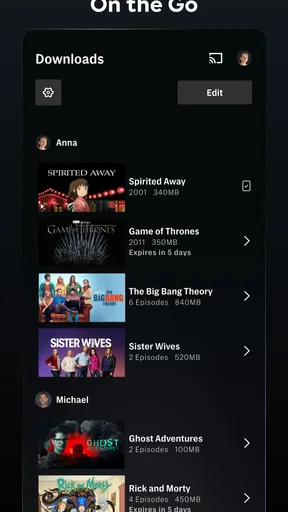
When it comes to streaming quality, HBO Max delivers. The video and audio are top-notch, and I experienced no buffering issues even during peak times. It’s also worth mentioning that the app supports offline downloads, which is perfect for those long commutes or flights where Wi-Fi is spotty.
Offline viewing is most useful when planned ahead. If you are going somewhere with unreliable internet, look for the download option while you still have a connection, then check that the chosen title is ready before you leave. I would treat downloads as a convenience for a specific trip, not as a guarantee that every title will be available in every situation. For a commute, a downloaded episode can be easier to fit into a short window than a film; for a flight, choosing in advance avoids relying on a last-minute connection.
Streaming at home and watching on the move solve different problems. At home, a stable connection and a comfortable screen make it easier to settle into a film. Away from home, downloads can make the experience less dependent on network quality, but they require a little preparation. If you usually watch only in places with reliable internet, the offline option may matter less to you; if you travel often, it can be one of the app’s more practical strengths.
Accessibility features are well-implemented too. Subtitles are available for most content, and there are options for audio descriptions, which is a thoughtful touch for those who need it.
For a first viewing, I would check the subtitle and audio options on the playback screen rather than waiting until a key scene is underway. Subtitles can also be useful when you are watching in a noisy room or trying not to disturb someone nearby, while audio descriptions can make viewing more accessible for people who benefit from them. Availability may vary by title, so if a particular option matters to you, check it on the program you plan to watch instead of assuming every item offers the same choices.
One common source of confusion is expecting every title to behave identically. Browsing, playback, subtitle choices, and offline availability can depend on the individual program and the account you are using. If something you expected is not available, first make sure you are signed into the intended account, then check the title’s own options and the current prompts in the app. That is a more useful first check than assuming the entire service is broken.
Another point to keep clear is the difference between downloading the app and paying for access. The app itself is free to install, but an in-app purchase may appear as part of an account or purchase flow. Read the amount and terms shown before you approve anything, especially if a family member is using the device. I would avoid tapping through a payment screen just to see what happens; back out if you are not ready to make that choice.
Is It Worth It?
So, is HBO Max worth diving into? I’d say absolutely. With its vast library, smooth performance, and handy features, it’s a solid choice for anyone looking to enhance their streaming experience. It’s like having a personal cinema that caters to all your entertainment whims.
My recommendation is strongest for someone who likes a mix of television and films, appreciates being able to browse by theme, and wants a straightforward way to resume something already started. It is also a sensible option for households that can agree on content from more than one genre. I would hesitate to recommend it as the only streaming app for a viewer whose needs are very specific or whose preferred titles are already served better elsewhere. Choosing by actual viewing habits is more useful than choosing by reputation.
For a first evening, I would keep the plan simple: sign in, search for one title, check the available playback options, and watch a little before exploring further. If you enjoy it, use Continue Watching to return to that program later and try a collection when you want something different. If the app does not quickly lead you to content you care about, that is a fair sign to compare alternatives rather than spending the whole night browsing.
All in all, HBO Max: Stream TV & Movies is a powerhouse app that offers a little something for everyone. Whether you’re a casual viewer or a hardcore binge-watcher, you’re sure to find plenty of content to keep you entertained for hours on end. Give it a try, and you might just find your next favorite show or movie!
Pros
- Extensive library of movies and series.
- High-quality streaming with minimal buffering.
- User-friendly interface for easy navigation.
- Option to download content for offline viewing.
- Unique content not found on other platforms.
Cons
- Subscription costs may be high for some.
- Some content may not be available in all regions.
- Requires a stable internet connection.
- Ad-supported tier includes interruptions.
- Limited support for older devices.
FAQs for HBO Max: Stream TV & Movies
What content is available on HBO Max?
HBO Max offers a vast library of content, including HBO originals, Warner Bros. films, DC Universe titles, Studio Ghibli animations, and a wide range of series and movies from other networks and studios. Users can enjoy both new releases and timeless classics, catering to diverse tastes and preferences.
Can I download shows and movies for offline viewing on HBO Max?
Yes, HBO Max allows users to download shows and movies for offline viewing. This feature is particularly useful for those who travel frequently or have limited internet access. However, downloads are only available on mobile devices, and there may be restrictions on the number of titles you can download at once.
How many devices can stream HBO Max simultaneously?
HBO Max permits streaming on up to three devices at the same time. This allows families or friends to enjoy different content simultaneously without interruption. However, sharing your account credentials with others outside your household may violate HBO Max's terms of service.
Does HBO Max support 4K streaming?
HBO Max offers 4K streaming for select titles, including some of its latest releases and popular HBO originals. To enjoy this feature, users need a compatible 4K device and a high-speed internet connection. It’s worth checking the availability of 4K content, as not all titles are supported.
Is there a free trial available for HBO Max?
HBO Max does not currently offer a free trial directly through its platform. However, promotions may be available through third-party providers or with certain purchase bundles. Potential subscribers should explore these options to determine if a trial or special offer is accessible to them.


